01
Drop in a file or folder
Create a protected .lock item from the sidebar or by dropping content into VaultKit.
State-of-the-art AES-GCM encryption keeps sensitive files private, while Touch ID lets you unlock, edit, and protect them again in place.
7-day trial on yearly. Monthly is $4.99.
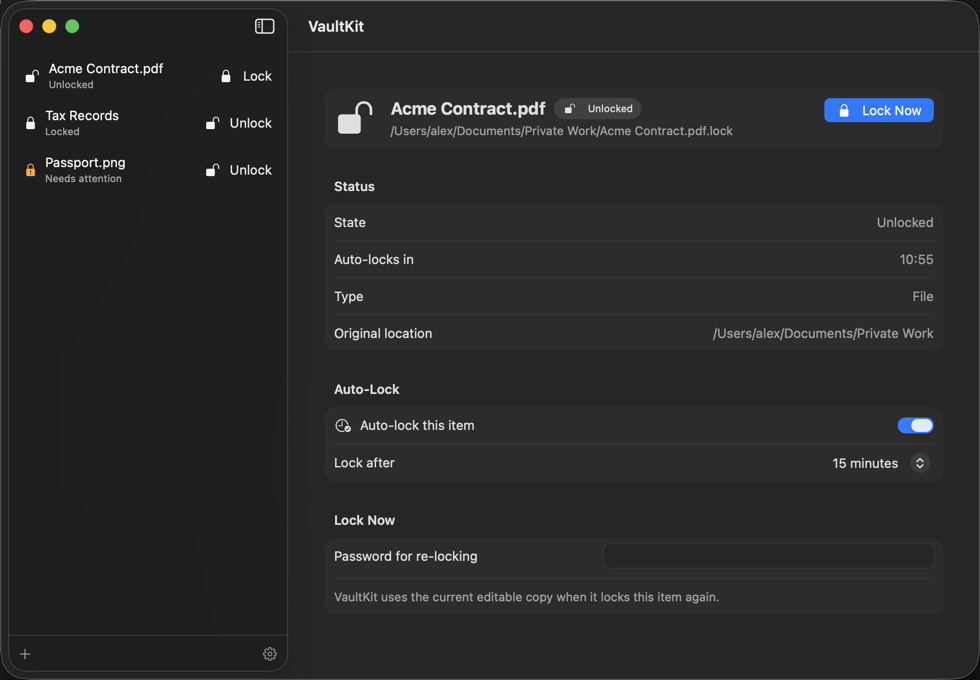
VaultKit is built around the way Mac files already work, with encryption folded into Finder-friendly .lock items.
Create a protected .lock item from the sidebar or by dropping content into VaultKit.
Use your password or Touch ID to restore the editable copy beside the .lock item.
When enabled, auto-lock re-encrypts the current on-disk contents after your selected time while VaultKit is open.
VaultKit does not upload your protected files or plaintext content. Subscription status is handled through App Store purchase infrastructure.
Encryption and unlock happen on device using standard Apple cryptography APIs.
VaultKit does not require a VaultKit account to protect or unlock local files.
Passwords are not sent to us. If you lose your unlock methods, recovery may be impossible by design.
Create .lock files, unlock with Touch ID, and use auto-lock while VaultKit is open. Existing files can still be unlocked if your subscription ends.
Protect the files that matter, open them when needed, and let VaultKit keep the routine quiet.