01
Drop in a file or folder
Create a protected .lock item from the sidebar or by dropping content into VaultKit.
State-of-the-art AES-256-GCM encryption keeps sensitive files private, while Touch ID lets you unlock, edit, and protect them again in place.
7-day trial
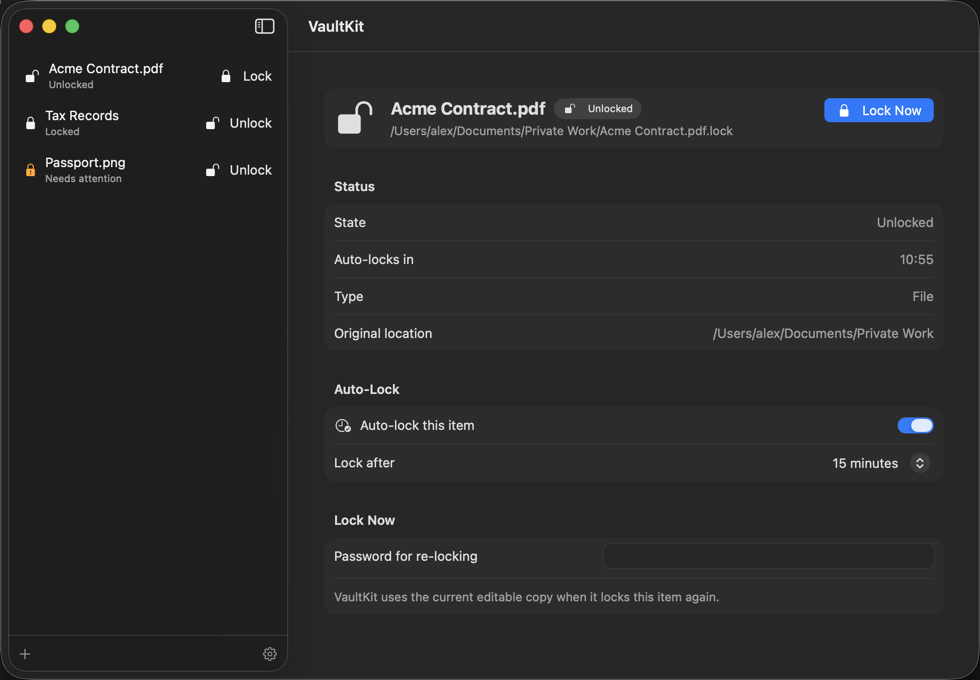
File and folder encryption for the way you work on Mac. Keep sensitive documents private, then open and edit them where they already live.
Create a protected .lock item from the sidebar or by dropping content into VaultKit.
Use your password or Touch ID to restore the editable copy beside the .lock item.
When enabled, auto-lock re-encrypts the current on-disk contents after your selected time while VaultKit is open.
VaultKit does not upload your protected files or plaintext content. Subscription status is handled through App Store purchase infrastructure.
Encryption and unlock happen on device using standard Apple cryptography APIs.
VaultKit does not require a VaultKit account to protect or unlock local files.
Passwords are not sent to us. If you lose your unlock methods, recovery may be impossible by design.
Create .lock files, unlock with Touch ID, and use auto-lock while VaultKit is open. Existing files can still be unlocked if your subscription ends.
Prices in USD. The yearly trial is available to eligible subscribers. Subscriptions renew automatically unless canceled. Requires macOS 15 or later.
Drop a file or folder into VaultKit, choose a password, and optionally enable Touch ID. VaultKit creates an encrypted .lock file. Double-click it in Finder to unlock and restore the editable copy.
VaultKit uses AES-256-GCM encryption through Apple's CryptoKit. Password protection uses PBKDF2-HMAC-SHA256 with a unique salt. Encryption and decryption happen locally on your Mac.
Yes, on a Mac with Touch ID configured. Enable it when protecting a file, or add it to an existing unlocked item. Touch ID is local to that Mac, so keep your password in a safe place for recovery or use on another Mac.
No. Auto-lock re-encrypts your latest saved changes while VaultKit is open and your Pro subscription is active. The optional login helper can remind you about unlocked items after you quit, but it cannot re-encrypt them.
Yes. You can always decrypt existing protected files with a valid unlock method. Creating encrypted files, re-locking, and auto-lock require an active VaultKit Pro subscription. Without Pro, an unlocked copy stays unencrypted until you subscribe and lock it again.
VaultKit requires macOS 15 or later. Each protected item can contain up to 128 MiB of file content and 10,000 archive entries. You can use a password on Macs without Touch ID.
VaultKit does not upload your files or their decrypted contents. Read the privacy policy for details about subscription processing and app data.
Protect the files that matter, open them when needed, and let VaultKit keep the routine quiet.